Changelogs
Stay up to date with the latest changes and enhancements.
Stay up to date with the latest changes and enhancements.

16. Jan 2024
Share
In mid-December we released an update to the food logger which made it faster to log multiple items at once to your meals. However, when adding a single food to your meal it also introduced one additional tap.
The feedback on this update was decidedly mixed. Those who build meals with several foods at once loved it for the efficiency gains while those who log one food at a time were upset about the extra tap.
Now, after engaging with our community in the MacrosFirst Facebook group and extensive beta testing, we're pleased to release an update to the food logger that preserves fast multi-food logging and single food logging.
In version 2.1.34 (1309) of MacrosFirst, you will find two new buttons at the bottom of the Food Search and Food Detail screens.
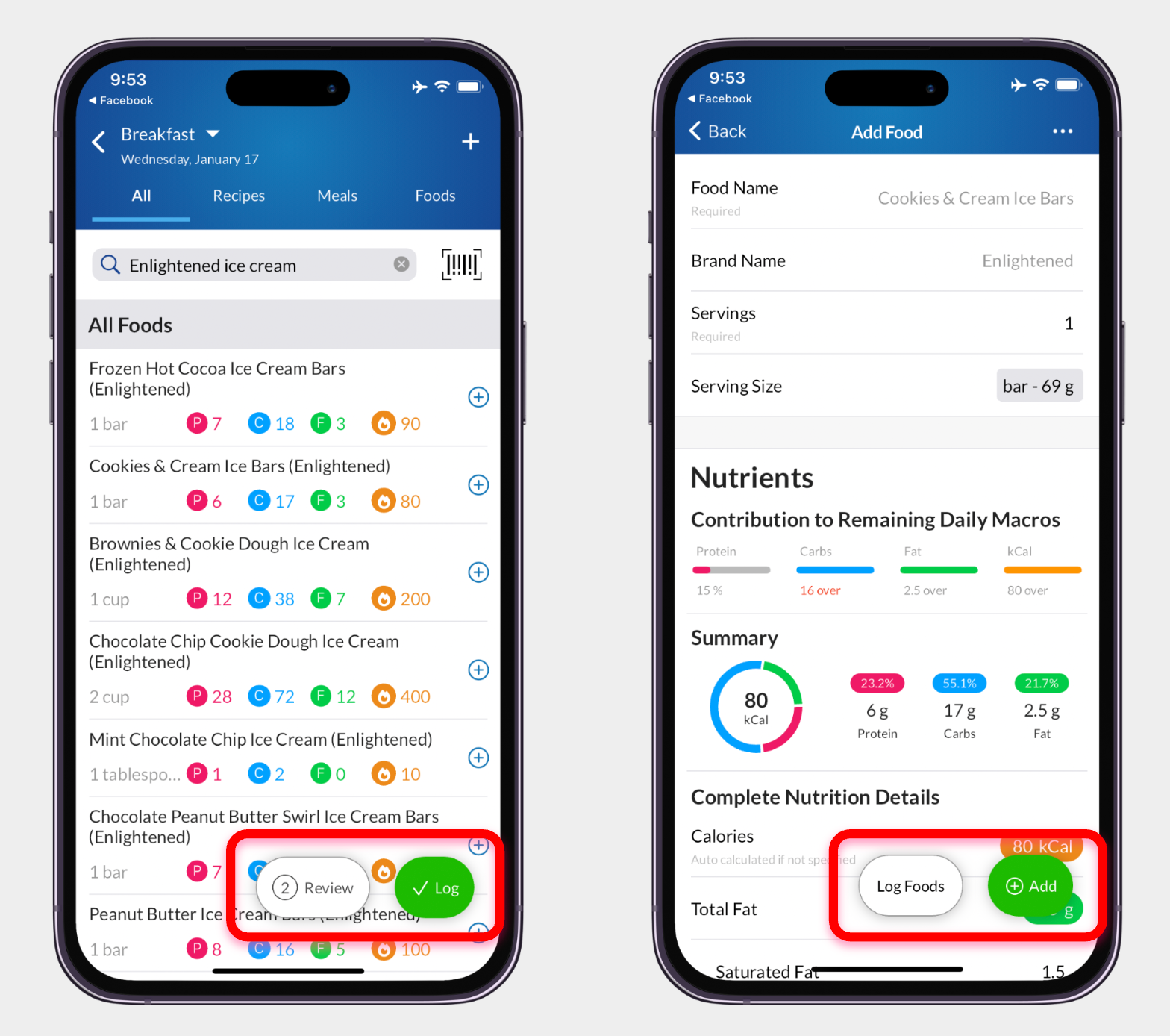
On the Food Search page, after you select a food to add to your meal, two buttons will appear at the bottom of the screen.
Tap Log to log all of the foods you've selected, exit food search, and return to the day, meal, or recipe that you are adding to.
Tap Review to see all of the foods that you've selected, the complete nutrition summary of those foods as well as their contribution to your daily goal, and make any serving size adjustments prior to logging.
On the Add Food, or food detail screen, two similar buttons will appear at the bottom of the screen.
Tap Log Foods to log this food, as well as any previously selected foods, to the day, meal, or recipe that you are adding to and return there.
Tap Add to add this food to your selected foods list and return you to food search so that you can search for other items to add to your meal.
We're grateful to everyone in our community who shared their feedback and worked with us to arrive as this solution which makes logging foods faster for all.