Changelogs
Stay up to date with the latest changes and enhancements.
Stay up to date with the latest changes and enhancements.

07. May 2024
Share
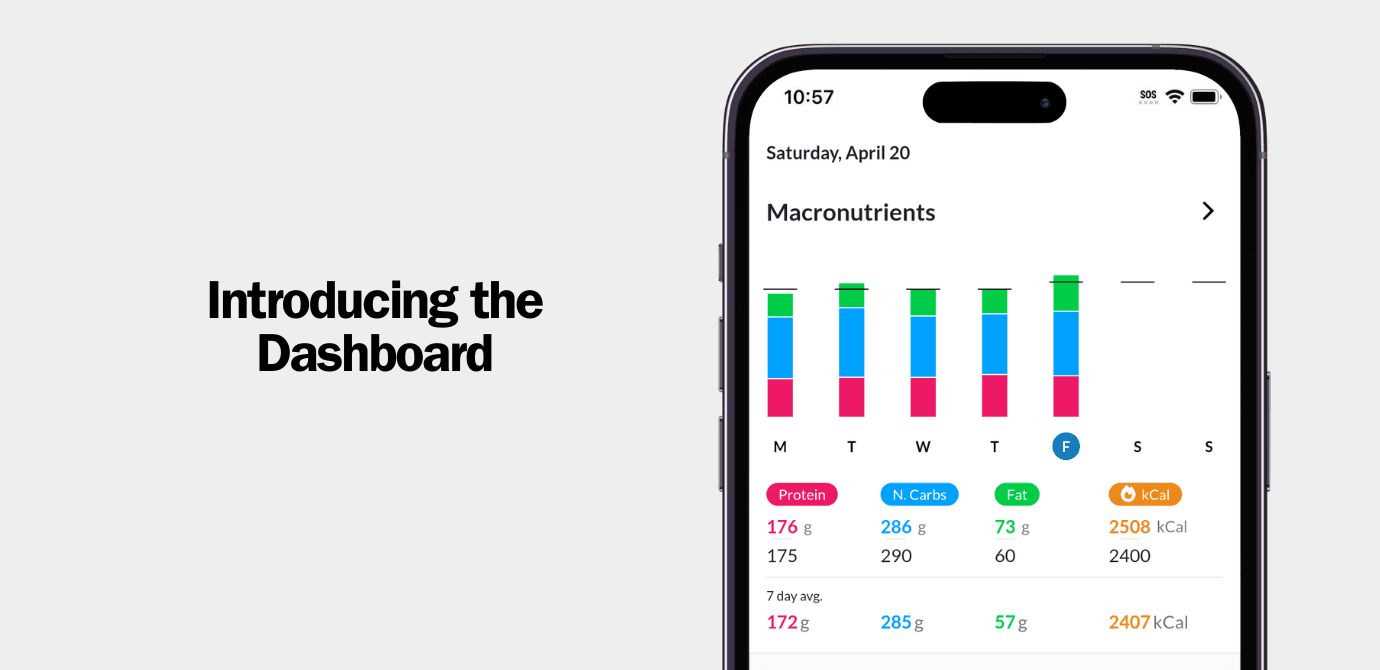
The dashboard contains charting with your recent nutrition and body weight trends. You can tap into each chart to enter an interactive reporting experience where you can view your trends and averages over any period of time.
You can also choose whether you want the dashboard to be your home screen in MacrosFirst or if you want to keep the food log as the default screen that greets you when opening MacrosFirst.
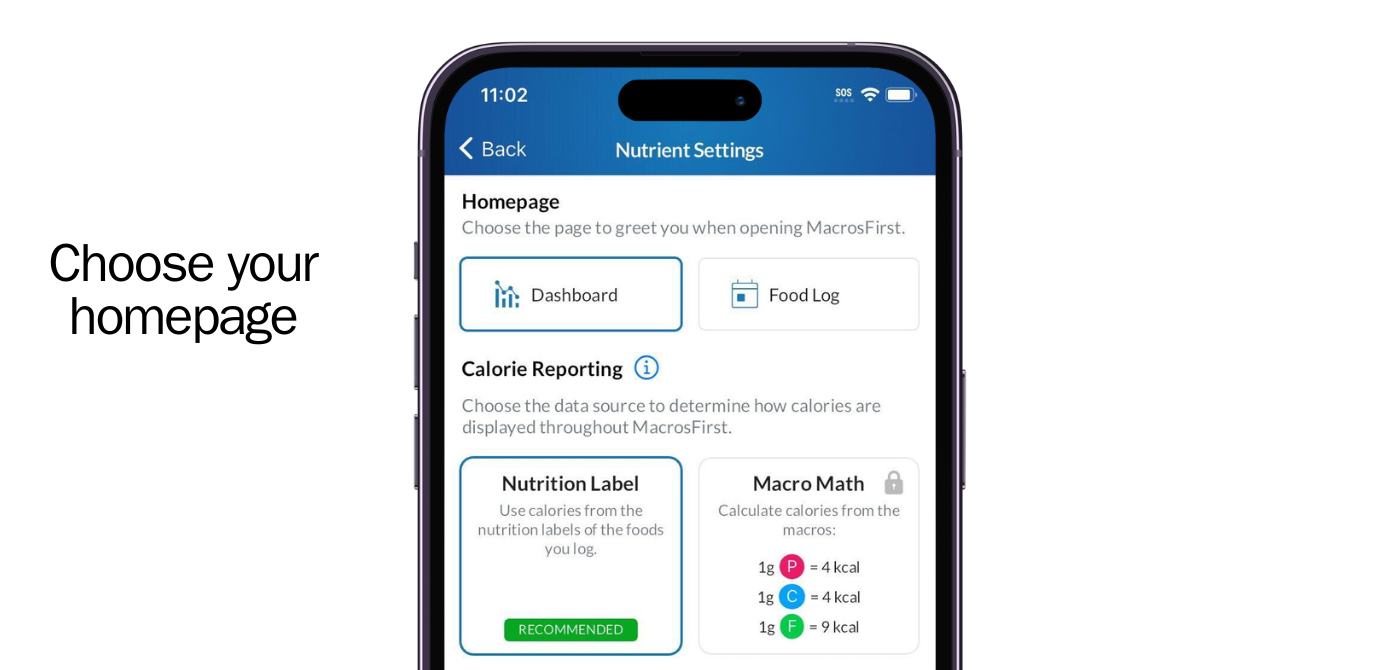
We will be adding additional reporting capabilities to the Dashboard including micros, custom charts, and habit tracking soon.
Perhaps the biggest change is a reorganized navigation experience and the introduction of the universal add (+) button with quick search.
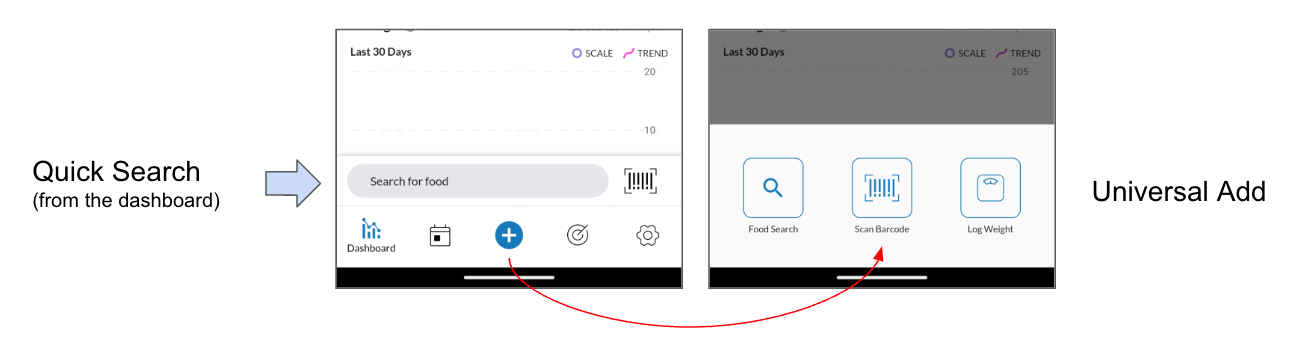
From the dashboard you can use Quick Search to instantly search for a food by name or barcode scan without first drilling down into the meal you're adding to. Quick Search allows you to add to today's meals and it will remember the name of the last meal that you added to for one hour so you can quickly log foods without re-selecting your target meal each time.
We plan to build upon this new pattern to enable logging foods from home screen widgets, smart watches, and more. And don't worry: We didn't take away the old food logging flow with the + button next to each meal name. That's still there alongside this new logging method.
With Universal Add (the big + button), you can more easily log body weight or food from any screen. We'll be adding more things to log like biometrics, AI voice search, and more.
Finally, with the new navigation we also reorganized the app:
Daily Goals now live in the bottom nav (previously they were in Profile > Goals
Saved Foods, Meals, and Recipes now live in Profile > Saved Foods, Meals, and Recipes (previously they were in the bottom navigation named My Kitchen)
Nutrition and Body Weight Trends now live on the Dashboard (previously they were in Profile > Trends)