Changelogs
Stay up to date with the latest changes and enhancements.
Stay up to date with the latest changes and enhancements.
30. Jan 2026
Share
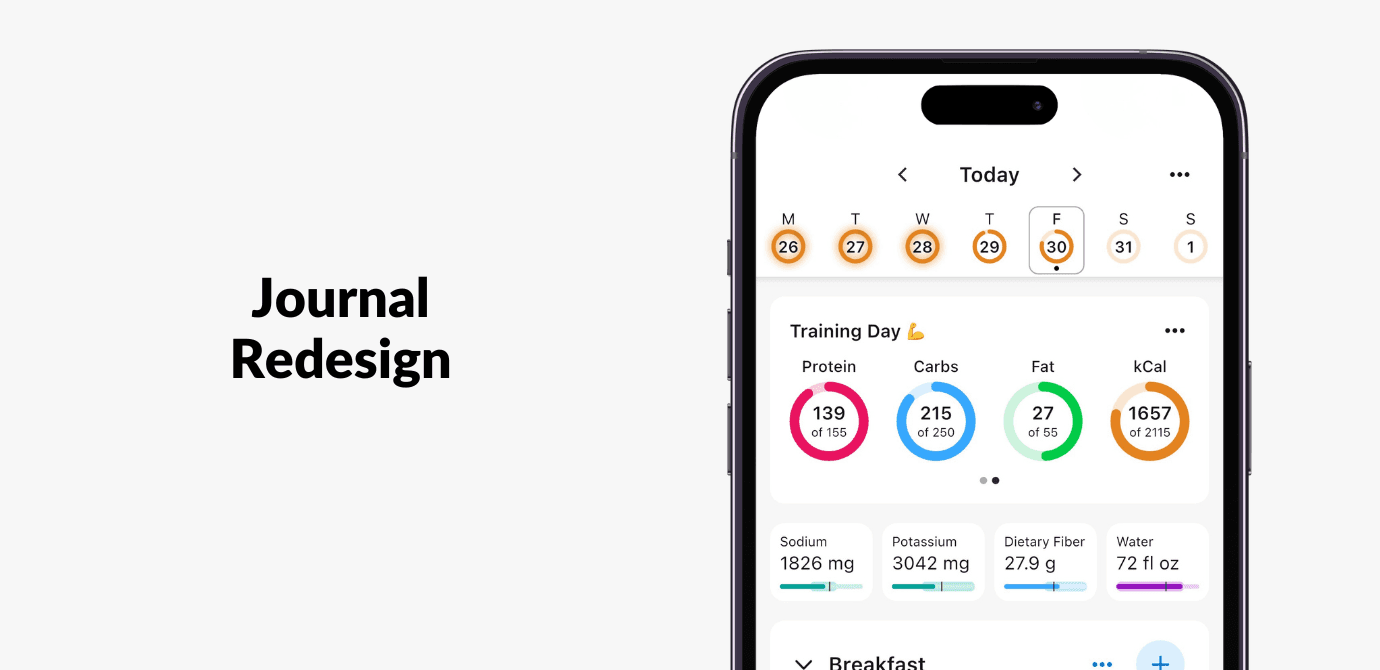
In this update, you’ll notice the Journal looks a bit different, with a more modern design focused on making daily tracking faster, easier to navigate, and more informative at a glance.
More intuitive navigation
Swipe left or right on the Journal to move between days.
Jump to specific dates or back to today more easily with the redesigned calendar.
More insight at a glance
See daily achievement of calorie targets in the calendar.
Pinned micronutrients in your Journal now show progress-to-goal. You can also tap on any micro to view its full nutrient report.
In this redesign, we shifted how progress is shown, moving away from binary indicators like  s and
s and  s toward a more informative, neutral view of your day.
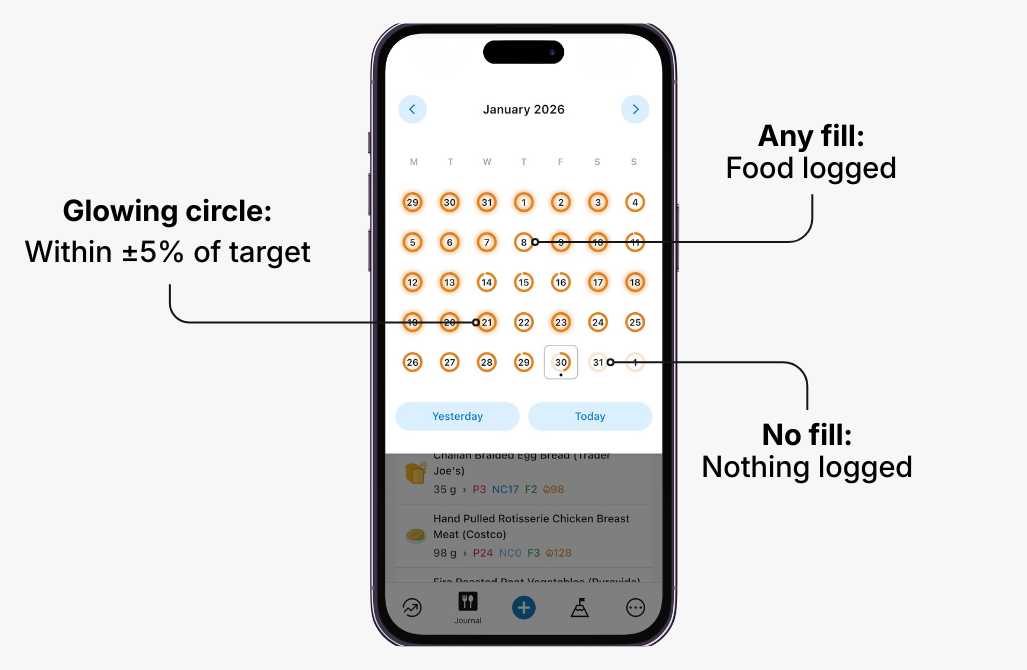
How the progress indicators work:
Any fill in the progress circle means food was logged that day. This replaces the and has the added benefit of showing you how close you are to your target, not just that you logged something on that day.
A glowing progress circle indicates you’re within ±5% of your calorie target. This replaces the .
No fill in the progress means that nothing was logged. In the old design, this would be the same as a date with neither a nor .
Additional Improvements
Log water directly from the bottom “+” button for quicker daily tracking.
New meal-level nutrient reporting, to view all nutrients per meal (including fiber!) for Premium users.
Recipe icons now display a collage of the recipe’s top ingredients.
New lock screen widget shortcut for logging water.